|
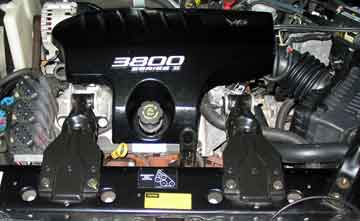
Engine compartment. You will need to remove the engine cover. Clean the area of the cover right around the oil filler extension tube. A lot of debris collects there and you don't want it to fall into the engine. Grab the extension tube, turn and remove. Stuff a paper towel into the oil fill opening to prevent debris from falling in. Lift the front edge of the cover up and pull toward you. The rear end of the cover has a pin with a rubber cap on it that fits into a bracket at the back of the engine compartment. Make sure you don't lose that rubber cap. It can come off the pin when you are removing the cover so watch for it. After you remove the cover, you can remove the paper towen and replace the extension tube with the cap or leave the paper towel in for now.
|
|
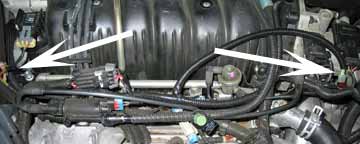
These two areas are where you will have to tie in the JET harness. The connection on the left is for the MAP wires and the one on the right is for the TPS wire. Also note the black plastic wire looms that protect the wires and give the project a factory installation look.
|
|
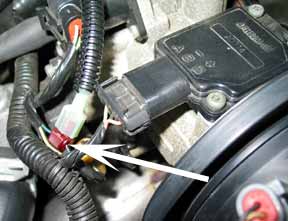
TPS connection.
|
|
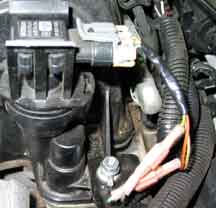
MAP connections.
|
|
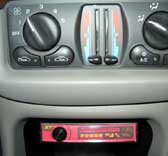
Control module mounting.
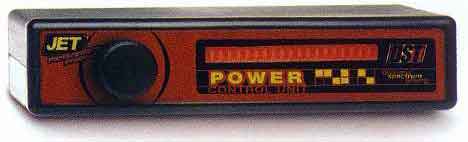
Paul's evaulation: "The JET module was a real pain to install. Don't expect miracles here. The unit is solely designed to force the computer to PE (Power Enrichment) mode earlier. I would only suggest it to people who are ready to spend a couple of hours and have a LOT of patience. The result is a nicer, crisper throttle response. No change at all on the top end. I probably wouldn't have installed it if I knew what a pain it was to get through the firewall. Fortunately, there is a rubber plug just to the upper-left (if looking from the inside) of the steering column. I punched a hole in this plug and ran the harness through it. It worked out well.
|
 Paul installed a JET system in his car and sent in photos: